Every baby monitor I’ve ever tested eventually got replaced by something smarter. That’s not a criticism of the old ones. It’s just that the gap between a basic audio monitor and a networked camera with motion zones, air quality sensors, and a voice assistant in the same ecosystem is now large enough to matter for safety.
Smart home devices, Alexa-enabled cameras in particular, have moved well past novelty. Used correctly, they give you an extra layer of awareness that passive hardware can’t match. Used carelessly, they create a false sense of security that’s worse than nothing. This guide is about using them correctly.
What Smart Cameras Do (and Don’t Do)
An Alexa-compatible camera like the Blink Indoor, Ring Indoor Cam, or Echo Show with a connected camera feed does a few things well: it lets you check a room without walking into it, it sends motion alerts when something moves in a defined zone, and it lets you speak into the room or listen without disturbing a sleeping baby. Some models offer two-way audio, night vision, and local storage.
What they don’t do is replace physical barriers. A camera can show you that your toddler has climbed onto the dresser. It cannot stop the dresser from falling. The camera is your early warning system, not your last line of defense. Keep that hierarchy clear.
When my older daughter was about 22 months, I had a Ring camera in her room and thought I was covered. One afternoon I watched on my phone as she methodically dragged her step stool to the bookshelf and started climbing. The camera was perfect. I saw it happen in real time. I still had to sprint down the hall to get there in time. The camera bought me maybe 15 seconds. Physical anchoring would have bought me infinite time.
Setting Up Motion Zones That Alert You
Default motion detection on most cameras is broad. It picks up everything: ceiling fans, light changes through windows, the family dog wandering in. If you leave defaults on, you’ll start ignoring alerts within a week because most of them are noise.
The fix is motion zones. Every major Alexa-compatible camera platform lets you draw a custom detection area. For a nursery or toddler room, set your zone to:
- The crib or bed perimeter (alerts if baby climbs out)
- The doorway (alerts if a young child leaves the room unsupervised)
- Any high-risk furniture: dressers, bookshelves, windows
Exclude ceiling areas and windows where light changes trigger false positives. In the Alexa app, you can route camera motion alerts to specific Echo devices so a chime plays in your kitchen or bedroom when the zone is triggered. This is more reliable than checking your phone constantly.
Sensitivity matters too. For a sleeping infant, set it lower so normal movement in the crib doesn’t ping you every 20 minutes. For a mobile toddler in a room with a dresser, set it higher. Spend 20 minutes tuning this on day one. It pays off every day after.


Alexa Routines for Safety-Specific Triggers
This is where the smart home layer earns its place. Alexa Routines let you chain triggers to actions automatically, without you doing anything in the moment.
A few setups worth building:
Door and window sensor + Alexa announcement. If you have an Alexa-compatible contact sensor on a bathroom door, a basement door, or a pool gate, you can create a routine that announces "The pool gate is open" on every Echo in the house the moment it triggers. This takes about five minutes to set up and costs around $15 for a basic contact sensor. Drowning is the leading cause of unintentional injury death in children ages 1–4 (CDC), and the AAP notes that a child can drown in as little as one to two inches of water. A contact sensor on a bathroom door costs almost nothing relative to that risk.
Motion sensor + light. Place a motion sensor in a hallway your toddler uses at night. Route it through a Routine to turn on a nightlight-level smart bulb. No stumbling in the dark, no falls on the stairs. About 93,000 children under 5 are treated in U.S. emergency rooms each year for stair-related injuries, per a Nationwide Children’s Hospital analysis of CPSC NEISS data. Reducing nighttime stair access is worth the five-minute setup.
Smoke and CO alerts routed to Alexa. If you have a smart smoke or CO detector (First Alert Onelink or Nest Protect both work with Alexa), you can route alerts to every Echo in the house as a spoken announcement, not just the alarm in one room. CO poisoning kills more than 400 people each year and sends more than 100,000 to U.S. emergency rooms (CDC). And three out of five home fire deaths occur in homes with no smoke alarms or non-functioning ones (NFPA). Routing smart detector alerts to Alexa doesn’t replace hardwired alarms. It adds a voice layer that wakes you up even if the detector is two floors away.

- Under-sink cabinet: cleaning products, medications
- Pool or exterior gate: drowning risk
- Stairway entry: nighttime fall hazard
- Bathroom door: standing water risk
The Under-Sink Problem and What Sensors Can’t Solve
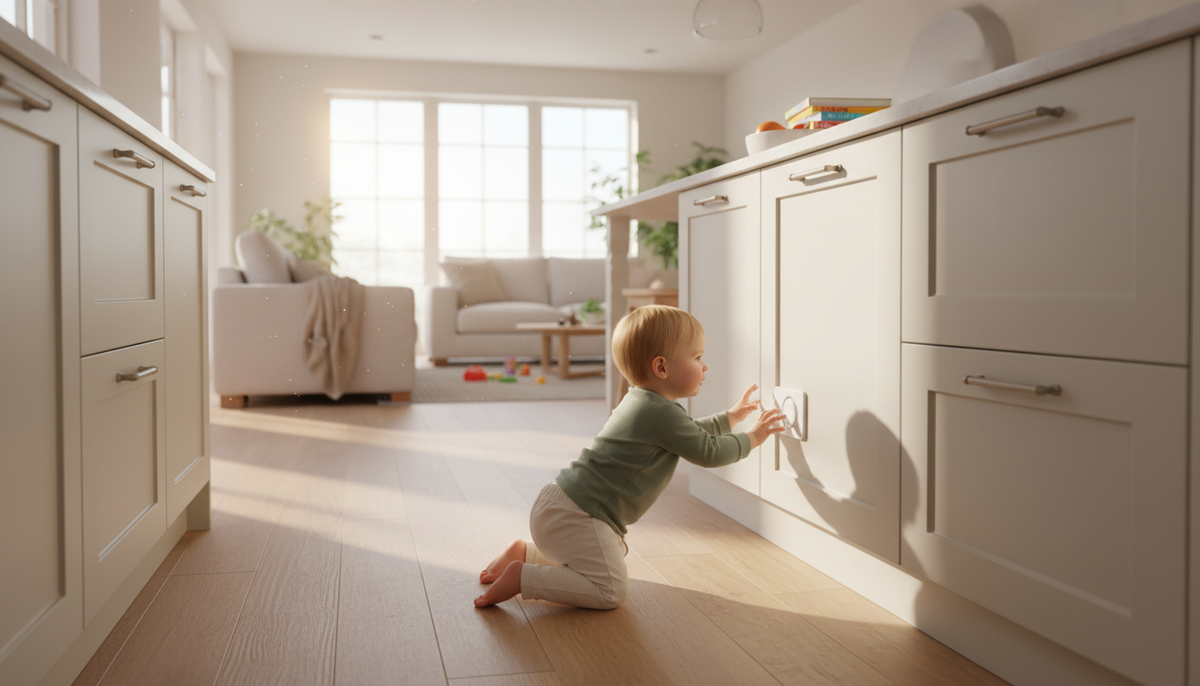
I need to be direct about something here. My younger daughter emptied the cabinet under our kitchen sink in the time it took me to answer the front door. I had a camera. I did not have a cabinet lock. She didn’t ingest anything, but she had her hands on a bottle of dish soap and was working on the drain cleaner when I got back.
Smart sensors can tell you a cabinet was opened. They cannot stop a two-year-old from opening it faster than you can respond.
Per CDC PROTECT data, unsupervised medication exposures send roughly 100 children under five to U.S. emergency departments every day. CPSC 90 children under 5 died from unintentional poisonings in 2023, with narcotic-medication fatalities specifically doubling from 33 in 2021 to 66 in 2023. And in 2024, 99.2% of poison center cases involving children under 6 were accidental, according to America’s Poison Centers.
A contact sensor on an under-sink cabinet is a useful alert. A physical lock is the actual protection. ASTM F3492–21 is the voluntary consumer safety standard that applies to cabinet locks and latches in the U.S. Use both. The sensor tells you the lock failed or was left unlatched. The lock is what keeps the door closed.
Many of the products parents store in cabinets, from acetaminophen to furniture polish, are required by 16 CFR 1700.14 to ship in child-resistant packaging. But even federally child-resistant packaging only has to keep 80–85% of test-panel children (ages 42–51 months) out. Packaging is not a substitute for a locked cabinet.


Sleep Monitoring: What the Camera Sees and What It Misses
For infants, a camera in the nursery is useful for checking sleep position and confirming the crib stays bare. There should be no blankets, pillows, or toys in the crib at all, so the camera is a backup check, not a reason to allow them. About 3,500 infants die each year from sleep-related causes in the United States (CDC SUID data), and unintentional suffocation kills roughly 1,000 infants under age 1 each year (CDC).
A camera helps you see the sleep environment. It does not monitor oxygen levels, heart rate, or breathing interruptions. If you’re concerned about infant breathing, talk to your pediatrician about whether a medical-grade monitor is appropriate for your situation. Consumer camera feeds are not diagnostic tools.
For camera placement in a nursery, position it to give you a clear overhead or angled view of the full crib. Make sure the camera cord is out of reach. A cord is a tripping hazard and a strangulation risk for infants. Keep the camera and its cord at least three feet from the crib, as the CPSC recommends, and route the cord along the wall with cable clips, well above any surface a child could stand on.
Smart Home Safety Setup Checklist
Furniture Anchoring and the Camera’s Role
CPSC reports one child death every two weeks from tip-overs. Cameras don’t prevent this. But a camera positioned to show a dresser or bookshelf can alert you the moment a toddler starts climbing, which gives you a narrow window to intervene.
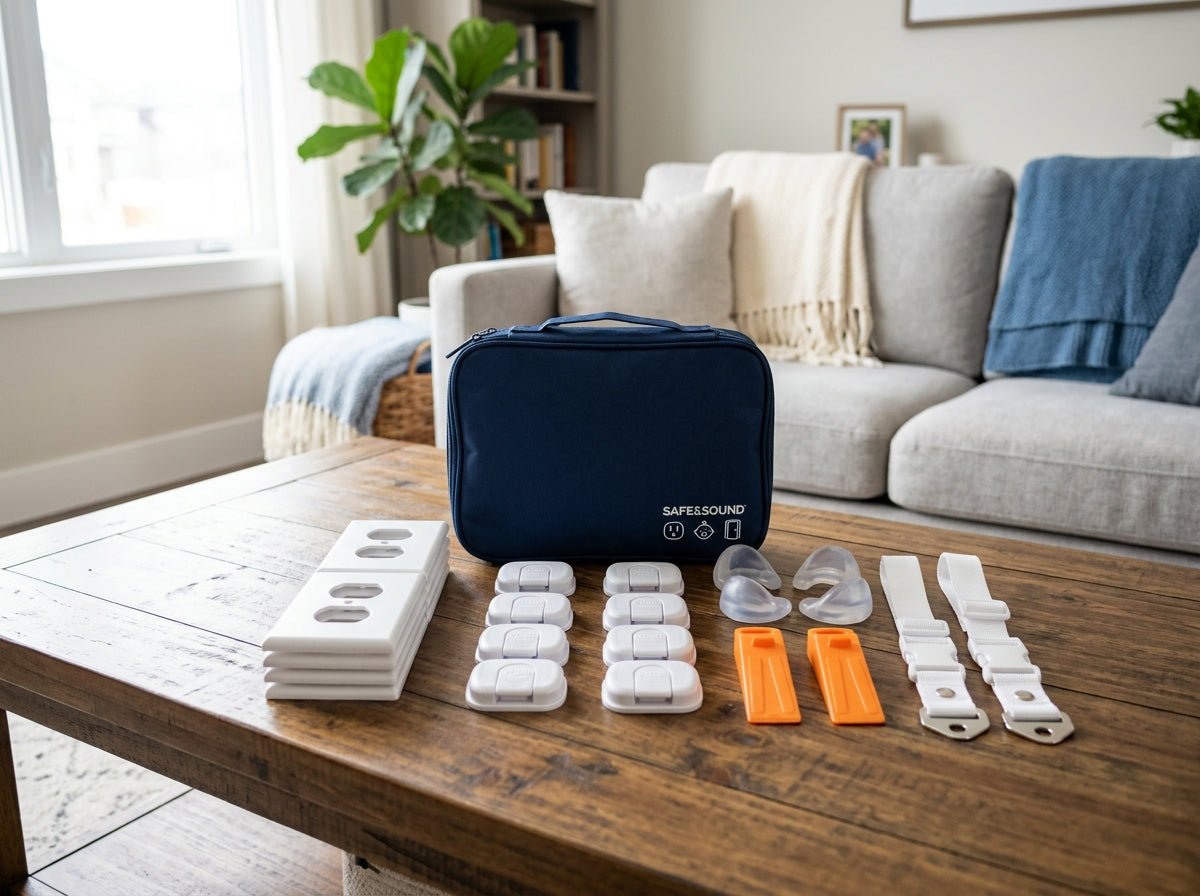
The correct approach is to anchor the furniture first, then use the camera as backup. Every dresser, bookcase, and TV stand in a child’s room or accessible common area should be anchored to a wall stud with an anti-tip strap rated well above the furniture’s weight. The camera is there for the moments you’ve missed something or a strap has failed.
When I installed cameras in my daughters’ rooms, I used the live feed during the first few weeks to watch how they interacted with the furniture. That observation told me which pieces needed additional anchoring beyond what I’d already done. The camera as a behavioral observation tool is underrated.
Building Your Smart Home Safety Stack
The most useful configuration I’ve landed on, after testing this across two kids and multiple home setups, is layered:
- Cameras with motion zones in bedrooms, hallways, and any room with high-risk furniture
- Contact sensors on exterior doors, pool gates, bathroom doors, and under-sink cabinets
- Smart smoke and CO detectors routed to Alexa announcements on every Echo device
- Physical locks and anchors on every piece of furniture and every cabinet that matters, independent of any sensor
The Alexa layer connects these. Routines let you automate responses, announcements give you voice alerts without checking your phone, and the camera feeds give you eyes in rooms you’re not in.
None of this replaces the physical work. Anchor the furniture. Lock the cabinets. Gate the stairs. The smart home layer makes your physical safety setup more responsive and gives you faster awareness when something changes. That combination is more protective than either approach alone.